AI TOOL / #02295
Enigma, ChatGPT Sidebar
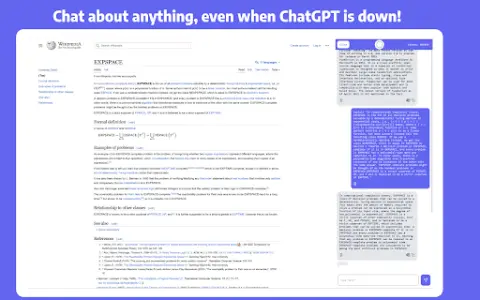
The browser extension integrates ChatGPT for a variety of tasks including summarization and content creation.
Introduction
Browser extension integrating ChatGPT for various tasks like summarizing and content creation.
What is Enigma Extension ai chrome extension/plugin?
The Enigma extension enhances your browsing experience by integrating ChatGPT directly into your browser. It allows you to interact with PDF files, compose content, summarize web pages, write emails, and more without leaving the current web page. Even in high-demand situations, ChatGPT features are easily accessible via the sidebar or context menu.
How to use Enigma Extension ai chrome extension/plugin?
Install the Enigma extension. Use ctrl+alt+j (ctrl+cmd+j on MacOS) to open the sidebar, or click the Enigma icon. Use the compose tag for content writing. Highlight text to query or translate it.
Enigma Extension ai chrome extension/plug-in core functionality
Talk to PDF files
Summary page
Write blog and social media content
Write and summarize emails
Translate highlighted text
Query highlighted text on any website
Keep chat context separate for each website
Related
Beagle Security
Automated web application and API penetration testing tool.
Trueclaim.ai
AI for automated automotive visual damage and defect inspection.
HoundDog.ai Static Code Scanner
An AI-powered code scanning tool that ensures the protection of sensitive data and compliance with privacy regulations.
Desklib
An academic toolkit powered by artificial intelligence to help students and educators enhance learning and teaching.
MalwareAI Browser Security
A Chrome extension that uses artificial intelligence to detect and block malicious documents and links.
WP Safe AI
An AI-powered WordPress security solution that offers malware removal and 24-hour protection.