AI TOOL / #02575
Commander GPT
You can access the desktop application of ChatGPT through its command-line interface. It is currently available for free, but no further maintenance is being provided.
Introduction
Desktop app for accessing ChatGPT via command interface, now free but unmaintained.
What is Commander GPT?
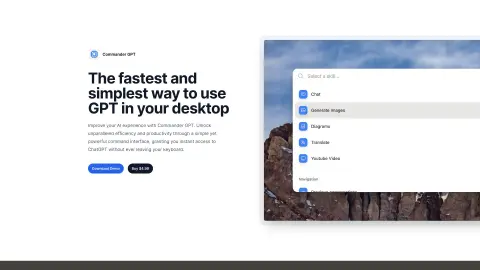
Commander GPT is a desktop application available for both Mac and PC. It provides a command interface that allows users to access ChatGPT without leaving their keyboards. It enables users to generate images, translate text, and obtain answers based on the transcript of YouTube videos. Since it is no longer being maintained, it is now free to use. It is recommended that users opt for the official ChatGPT application instead.
How to use Commander GPT?
Download the Commander GPT application suitable for Mac or PC. Open Commander GPT by using the Command+Shift+G shortcut. Enter your commands and press Enter to interact with ChatGPT.
The core functions of Commander GPT
Access ChatGPT through simple commands.
Generate images using OpenAI’s Dalle model.
Translate the text into different languages.
Answer the question based on the transcript of the YouTube video.
Locally save the historical records of all sessions.
System alerts can be customized as desired.
Related
AI image segmentation (PixPix)
Browser-based local AI image segmentation technology
MELO music
Chinese AI song-writing tool
Sayscroll
The AI teleprompter that rolls along as you speak
Monid
Tool bus for AI agents
Qoder
The intelligent agent programming platform developed by Alibaba
World Labs
Spatial Intelligence and 3D World Generation