AI TOOL / #02660
Grok Button
A browser extension that provides quick access to Grok AI.
Introduction
A browser extension for quick access to Grok AI.
What is a Grok Button?
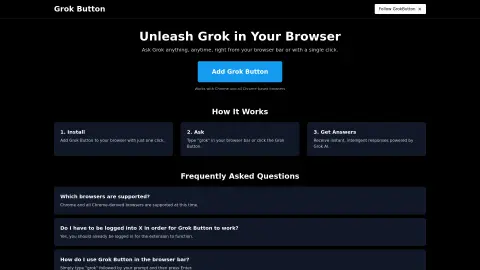
The Grok button is a browser extension that seamlessly integrates the powerful capabilities of Grok AI into your web browser. Users can submit their questions by entering “grok {your question}” in the browser address bar or by clicking the Grok button, and they will receive instant, intelligent responses.
How to use the Grok Button?
Install the Grok button extension. To use it, enter “grok” followed by your question in the browser address bar, then press Enter, or click the Grok button.
The core functionality of the Grok Button
Quickly access Grok AI from your browser.
Answer questions immediately
Integration with Chrome and Chrome-based browsers
Related
Qurio
Qurio can read your thoughts and answer your questions directly.
Spot AI
Spot AI reads web pages to answer your questions.
AI Magic
A Chrome extension that enables immediate access to AI-driven answers while browsing.
AI CLI
GPT-3 driven command interpretation CLI tool.
Ask an AI
askan.ai is an AI platform that provides fast, accurate answers to users' questions.
fix-relationship
Tools based on artificial intelligence, used to repair relationships and improve communication.