AI TOOL / #03922
WordPal: AI-powered writing assistant
An AI writing assistant used for grammar checking, rewriting, content generation, and text summarization.
Introduction
AI writing assistant for grammar, rephrasing, content generation, and summarization.
What is the WordPal AI Chrome extension/plug-in?
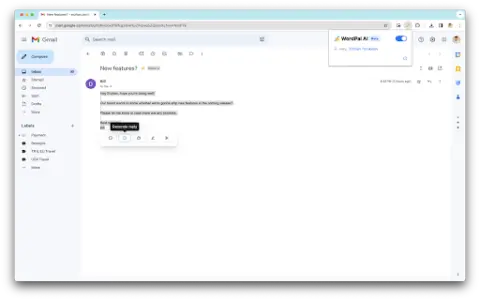
WordPal is an AI-powered writing assistant that helps identify and correct grammatical errors, rewrite existing text, or generate new content. It can also provide instant summaries of lengthy texts. You can use it as a standalone application by visiting https://wordpal.ai, or install it as a Chrome extension to access these features on any web page you are browsing.
How to use the WordPal AI Chrome extension/plug-in?
WordPal can be used as a standalone application via its official website, or as a Chrome extension. As a Chrome extension, WordPal enables users to correct grammar, rewrite text, generate new content, and create summaries directly within any web page while using their browser.
The core functions of the WordPal AI Chrome extension/plugin
grammatical correction
Text rewriting
AI-generated content
Text summary
Chrome extension integration
Related
Collection of Doctoral Forum Posts
A collection of posts from the older version of the Doctor Forum. You can find the corresponding topics in the catalog PDF by referring to their numbers, and the attachments are also organized according to these numbers.
CleanPNG: A library of transparent PNG images
Millions of free, transparent PNG images with clean backgrounds are available for download. These images include cliparts, illustrations, icons, and graphic materials, making them ideal for use in design, website construction, presentations, social media, and commercial projects.
The Criterion Closet: A Film Collection Room
You can browse through every DVD in Criterion’s collection, pick any box set from the shelf, view all 1,327 available versions, and select the four films you would like to take home with you.
Easy Drawing Tutorials: Cartoon Drawing Lessons
Through videos and step-by-step illustrations, we will teach you how to draw your favorite cartoon characters.
Beyond Compare file comparison tool
Scooter Software is the developer of Beyond Compare. This tool is frequently used by developers, system administrators, and others for comparing, merging, and synchronizing data. It is compatible with Windows, macOS, and Linux.
SQLZoo SQL Practice
SQLZoo offers interactive SQL practice sessions. Each assessment consists of 15 questions, divided into three difficulty levels: easy, medium, and hard.