AI TOOL / #04037
myGPTBrain
Simplify the process of acquiring knowledge through instant responses and document summaries.
Introduction
Simplifies knowledge consumption with instant answers and document summarization.
What is the myGPTBrain AI Chrome extension/plug-in?
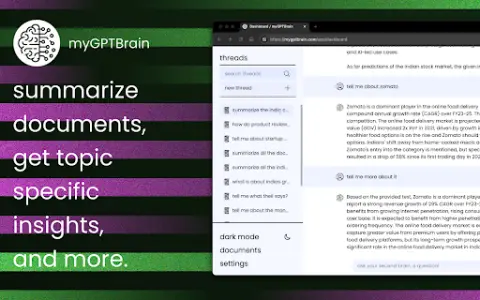
myGPTBrain is a tool designed to simplify the process of acquiring knowledge. It allows users to save articles and web pages, and provides immediate, context-rich answers. Users can summarize documents, identify key points, and ask questions related to the subject matter. This tool enhances both the accessibility and understanding of content.
How to use the myGPTBrain AI Chrome extension/plug-in?
You can save articles and web pages by clicking the corresponding buttons. After saving them, you can then ask questions, summarize the content, or highlight key information within those saved items.
The core functions of the myGPTBrain AI Chrome extension/plug-in
Real-time, context-rich Q&A interactions
Document summary
Q&A sessions specific to the topic
Custom command
Upload images, ZIP files, Office documents, and more.
Chat with multiple documents simultaneously
Related
Simulate the Windows upgrade interface
Fakeupdate is a perfect tool for slacking off – it simulates the process of your computer being upgraded or infected with a virus, allowing you to fool colleagues and friends into believing that you are currently unable to use your device.
NewCluinn
AI dictation and conferencing assistant on Mac
New fastBrowse
An open-source browser agent that can verify the results
New PatX: Knowledge and Exploration
AI Agent for Patent Drafting and Response
New SiteDrop
Conversational website-building and order-taking platform
New ClawsGO Science
A scientific research AI agent that utilizes cloud computing capabilities