AI TOOL / #05778
Roshi AI
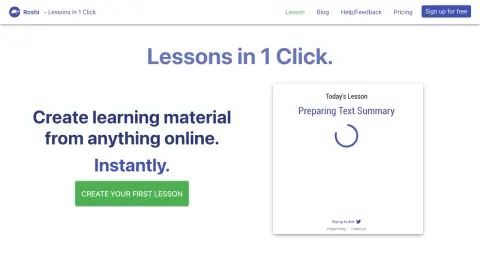
Roshi enables teachers to quickly utilize AI to create interactive learning materials.
Introduction
Roshi helps teachers create interactive learning material quickly using AI.
What is a Roshi?
Roshi enables teachers to quickly create interactive learning materials, and its usage is very straightforward. Users can generate summaries, glossaries, questions, and activities based on YouTube videos or articles. It also allows for the creation of dialogues, visual effects, and targeted exercises according to specific criteria.
How to use Roshi?
Describe the learning materials you need. Use the provided prompts to generate the content, and Roshi will use AI to create those materials for you, which will then be shared on learning platforms such as Moodle or Google Classroom.
The core features of Roshi
AI-driven course generation
Creation of custom voice-driven conversations
Visual content generation (images, brochures, etc.)
Targeted content generation (such as CLB)
Integration with Moodle and Google Classroom
Related
Mystic Turbo Registry
An optimized Docker registry that enables faster loading of ML models and reduces the time required for cold starts.
clear.ml
An artificial intelligence infrastructure platform designed to manage GPU clusters and streamline AI/ML workflows.
Hugging Face
An artificial intelligence community platform, dedicated to open-source machine learning models, datasets, and applications.
SwytchAI
Seamlessly switch between AI models without losing any context.
Sneos: Multi-Chat AI Assistant
A multi-chatbot AI platform used for comparing the responses of multiple AI models.
thisorthis.ai
An AI model comparison platform used for testing prompts and analyzing AI responses.