AI TOOL / #05876
Do Browser
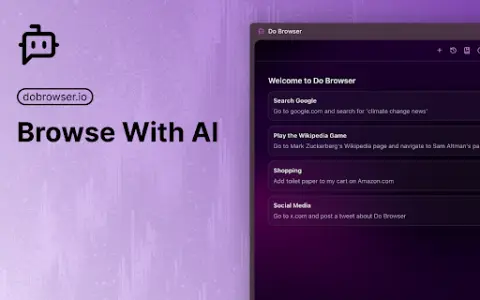
An AI-powered Chrome extension that enables control of the browser via natural language commands.
Introduction
AI-powered Chrome extension for browser control using natural language.
What is a Do Browser AI Chrome extension/plug-in?
Do Browser is an AI-powered extension for Chrome that allows users to control their browser using natural language commands. It provides quick access through the address bar or keyboard shortcuts and also supports voice commands. Its purpose is to simplify tasks such as filling out forms, shopping, and navigating complex web interfaces.
How to use the Do Browser AI Chrome extension/plug-in?
Enter “do” in the address bar or use the shortcut keys Cmd+K/Ctrl+K to activate the Do Browser. Then, use natural language commands to instruct the extension to perform tasks within the browser.
What are the core functions of browser AI Chrome extensions/plugs?
Natural Language Browser Control
Access via the address bar and keyboard shortcuts
Voice command support available
Related
PipeLaunch: Salesforce Integration
PipeLaunch integrates Salesforce with LinkedIn™, thereby simplifying the processes involved in acquiring potential customers and enriching data sources.
GladMail-LinkedIn
Extensions for LinkedIn lead extraction and email collection, compatible with Grand Data integration.
WaterCrawl
AI-friendly web crawler and content extraction platform for structured data.
Wavo
Wavo connects e-commerce companies with decision-makers, enabling effective external outreach and the expansion of sales channels.
Instant Data Scraper
Automated data extraction tool using AI for website data scraping.
DeGen.ai
DeGen.AI: An AI-powered tool for generating, enhancing, protecting, and analyzing data.