AI TOOL / #06413
Audiotext AI
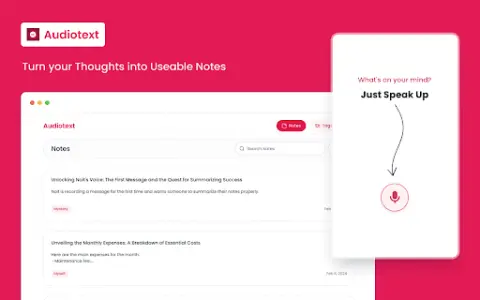
Audiotext AI converts audio to text, removes filler words, and offers multiple transcription styles.
Introduction
Audiotext AI converts audio to text, removing filler words and offering various transcription styles.
What is the Audiotext AI AI Chrome extension/plugin?
Audiotext AI can convert audio into accurate text by removing unnecessary words and generating concise summaries. It allows users to transcribe speech into text, offering multiple styles such as short summaries, bullet points, passive voice, and active voice.
How do I use the Audiotext AI Chrome extension/plugin?
1. Speak naturally, including filler words. 2. Choose a transcription style (short summary, long summary, bullet points, etc.). 3. Click "Transcribe."
Core features of the Audiotext AI Chrome extension/plugin
Audio to text
Remove unnecessary words.
Concise Summary
Rewriting with AI for style adjustment
Shareable note link
Related
Doclin
Doclin is a real-time code discussion tool that builds a code knowledge base.
canvass.io
The artificial intelligence knowledge engine enables faster, more accurate, and more cost-effective insights to be derived from dispersed information.
Zilliz
Fully managed, scalable vector database for enterprise AI applications.
AI Brain Bank – Chat with ALL Your Data
An artificial intelligence platform designed for interacting with documents, media, and knowledge.
Recall Browser Extension
AI tools summarize, organize and connect information into a knowledge base.
Zuzu AI Knowledge Assistant for Chrome
Zuzu AI: A workplace knowledge assistant that improves customer experience and team productivity.