AI TOOL / #06677
Voice Control for Netflix
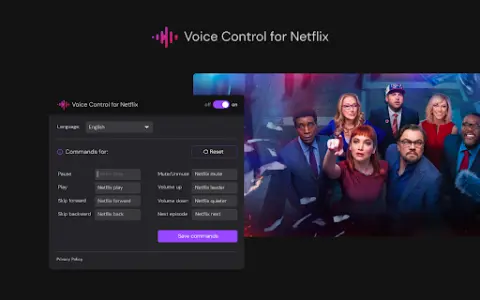
Use voice control to operate Netflix: play, pause, fast-forward, and more.
Introduction
Control Netflix with your voice: play, pause, fast-forward, and more.
What is the Voice Control for Netflix AI Chrome extension/plugin?
Netflix’s voice control allows users to manage their Netflix experience via voice commands. This includes tasks such as playing, pausing, and advancing videos, all without the need to use a remote control or touch the screen.
How to use the Voice Control feature for the Netflix AI Chrome extension/plug-in?
Simply enable Netflix’s voice control, and then use voice commands to control playback, navigate the menu, and search for content.
The core functionality of the Netflix AI Chrome extension/plugin for voice control
Use voice control to operate Netflix playback functions (play, pause, fast forward, rewind).
Hands-free navigation, Netflix menu
Voice search for films and TV shows
Related
truly.co
An intelligently driven hyper-automated platform designed for revenue management processes, aimed at enhancing the quality of CRM data.
Hints
A sales AI assistant that automatically updates CRM data through chat and voice interactions.
Kula AI
A fully-featured ATS integrated with AI, enabling faster and more intelligent recruitment processes.
Caffeinated CX
Caffeinated CX AI simplifies and automates support processes for Hubspot and Salesforce users.
Bearish OS CRM Extension
A Chrome extension that simplifies CRM management with one-click contact addition and AI-based insights.
Odoo CRM Marketing Assistant
Odoo CRM extension that integrates OpenAI GPT-3.5 Turbo and sentiment analysis capabilities for use in marketing purposes.