AI TOOL / #06759
Chromesthesia
Capture audio tagged with relevant labels and use various audio recognition services to analyze them.
Introduction
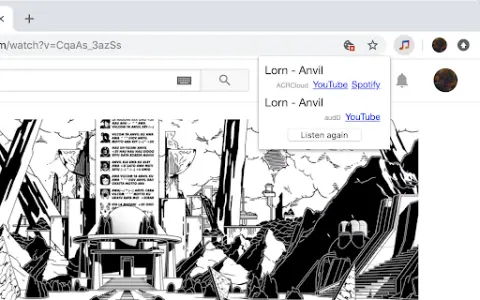
Captures tab audio and identifies it using various audio recognition services.
What are Audio Recognition Services, and what are the Chrome extensions/plugs related to AI?
This service captures the audio being played within browser tabs and sends it to audio recognition services. Currently supported services include audD (no account required; 10 free requests per day), ACRCloud (account needed, but a free plan is available), and AudioTag (account needed, but a free plan is available).
How to use the Audio Recognition Services Chrome extension?
This service captures the audio being played within browser tabs and automatically sends it to the configured audio recognition services (such as audD, ACRCloud, or AudioTag). The identified song information is then returned.
The core functionality of the Audio Recognition Services AI Chrome extension/plug-in
Capture audio from a browser tab
Integration with various audio recognition services (audD, ACRCloud, AudioTag)
Related
HelloRecap
Applications based on artificial intelligence convert audio recordings into actionable insights through transcription and summarization.
VoiceRec: AI Vocal Recorder
An AI-powered voice recorder, designed to capture, transcribe, and share audio recordings.
Notte.ai
An AI-driven meeting assistant that makes it easier to take notes and improves work efficiency.
CallNote AI
An AI-driven tool used for automatically taking notes during sales calls and generating follow-up reports.
uxsniff.com
AI-driven website optimization user experience analysis tool.
Speechki
An artificial intelligence-based text-to-speech solution that supports multiple languages and delivers authentic voices.