AI TOOL / #06897
AddSubtitle
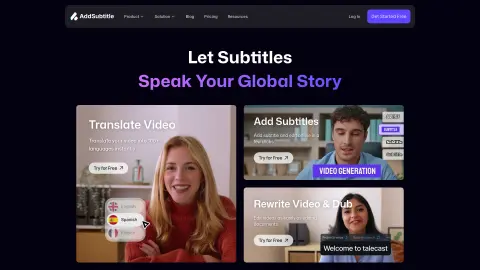
Subtitles, dubbing, and translation – all these functions are integrated into one solution to speed up your video production process.
Introduction
Subtitles, voiceover, and translation—all in one tool to speed up your video workflow.
What is AddSubtitle?
AddSubtitle allows creators to have complete control over how their information is conveyed to the world. Subtitles, voiceovers, and translations – all these features are combined in one solution to streamline your video production process. Experience the perfect balance between efficiency and creative freedom.
● Rapid Creation – Transform your work processes through intelligent automation. Generate formatted subtitles instantly, translate audio and subtitles in over 60 languages, create realistic AI-generated voices, and edit videos just as easily as you would edit text.
● Unrestricted creative freedom – Every element can be customized to the fullest extent. Choose from hundreds of natural AI voices, or clone your own voice to add a personal touch. Fine-tune subtitle styles, positions, and sizes with pinpoint accuracy. Translate content whenever you need it. No software required; all that’s needed is pure creative talent, available anytime, anywhere.
How to use AddSubtitle?
First, navigate to your dashboard and select the workflow you wish to use: add subtitles, translate a video, add voiceover, or rewrite the video content. Upload your media files, customize the settings to match your requirements, and then click “Submit” to start the processing. Once it is completed, click on your project to access the editing panel, where you will find powerful tools such as bilingual subtitles, subtitle editing, voice cloning, voice translation, and other advanced features to enhance your content. If you need additional support or wish to adjust your personal settings, click on the profile icon in the top right corner. You can also join our thriving Discord community to gain creative tips, inspiration, and direct assistance from other creators.
The core functionality of AddSubtitle
Supports automatic subtitle generation in over 60 languages.
Precise subtitle translation
AI voice translation and dubbing with context awareness
AI voice synthesis with natural sound quality
Clone the sound from a 10-second recording.
Edit a video by modifying its text content.
Cloud-based, no need for installation
It can be edited via a YouTube link.
Related
Furniture & Household Item Recognition
An AI-based API designed for identifying, classifying, and counting furniture items and household objects within images.
Pluck
A Chrome extension designed for people with trichotillomania, aimed at raising awareness and providing support.
Allerwell
Allerwell is a mobile app that makes allergy-free eating possible through scanning and personalized insights.
Picterra
A geospatial image analysis platform used for training and deploying machine learning models.
Walter AI
AI humanization and detection tools to bypass AI detection and ensure original content.
Proof&Trust
Automate supplier risk assessment tools to save time and money.