AI TOOL / #06950
Snapshot by AnswersAi
Chrome extension that provides immediate answers and learning assistance through screenshots.
Introduction
Chrome Extension for instant answers and learning support using screenshots.
What is the AnswersAi Chrome extension/plug-in?
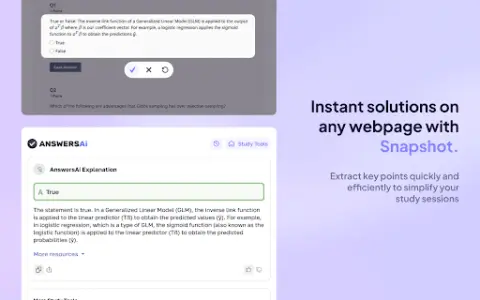
AnswersAi is a Chrome extension designed to provide students with immediate and accurate answers. All users need to do is take a screenshot of the question they want help with, and they will immediately receive detailed explanations along with step-by-step solutions. This makes it an extremely useful tool for exam preparation, homework assistance, and enhancing understanding of various subjects.
How to use the AnswersAi Chrome extension/plug-in?
Install the AnswersAi Chrome extension. When you encounter a problem, use this extension to take a screenshot. AnswersAi will then provide you with detailed explanations and solutions.
The core functions of the AnswersAi Chrome extension/plug-in
Instant answers are provided through screenshot analysis.
Provide a comprehensive explanation along with step-by-step solutions.
Supports multiple disciplines
Seamlessly integrated with the browsing experience
Related
Simulate the Windows upgrade interface
Fakeupdate is a perfect tool for slacking off – it simulates the process of your computer being upgraded or infected with a virus, allowing you to fool colleagues and friends into believing that you are currently unable to use your device.
NewCluinn
AI dictation and conferencing assistant on Mac
New fastBrowse
An open-source browser agent that can verify the results
New PatX: Knowledge and Exploration
AI Agent for Patent Drafting and Response
New SiteDrop
Conversational website-building and order-taking platform
New ClawsGO Science
A scientific research AI agent that utilizes cloud computing capabilities