AI TOOL / #07221
GPT-4 Vision Screenshot
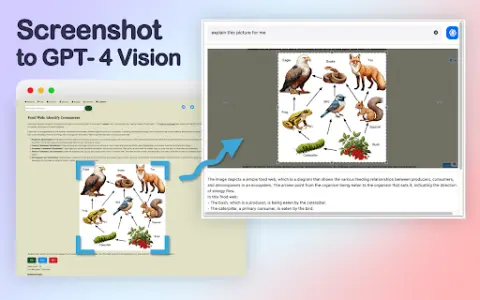
A tool that uses GPT-4 visual AI to extract answers from screenshots.
Introduction
A tool that extracts answers from screenshots using GPT-4 Vision AI.
What is the GPT-4 Vision Screenshot AI Chrome extension/plug-in?
GPT-4 Visual Screenshot is an innovative tool that allows users to select any area of the screen and pose relevant questions. GPT-4 Visual then directly extracts answers from the screenshot, intelligently interpreting the visual content with remarkable accuracy. By providing a fast, in-depth, and interactive search experience, it has completely transformed the way people obtain information.
How to use the GPT-4 Vision Screenshot AI Chrome extension/plug-in?
With just a simple shortcut key, you can select any area on the screen. Once you pose a question related to the selected area, GPT-4 Vision will directly extract the answer from the screenshot.
The core functions of the GPT-4 Vision screenshot AI Chrome extension/plugin
Use GPT-4 visual AI to extract answers from screenshots.
Related
AudiblDoc – Text to Speech
AudiblDoc converts PDF files, images, and text into audio, and vice versa – it supports multiple languages in this process.
BuildPrompt
AI-based document analysis and data insight tools.
GoPDF
An all-round PDF editor and AI-powered management tool.
Lóre AI
AI-powered conversion of PDF files into editable Word documents, along with translation services.
Quotemark
An iOS app that uses AI technology to capture, organize, and personalize famous quotes from books.
BringTable
Scan bills with GPT-4, extract the data, and convert it into a table.