AI TOOL / #07230
hahaOCR
Extract text from the image; press the ESC key to exit.
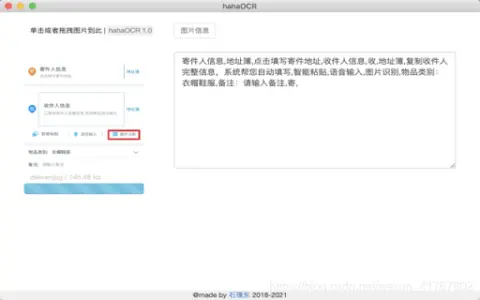
Introduction
Extract text from images and exit with ESC.
What are the Image to Text and ESC Exit App AI Chrome extensions/plugs?
This application allows users to extract text from images and convert it into editable text. Users can upload images by clicking a button and exit the application by pressing the “ESC” key.
How to use the Image to Text & ESC Exit App AI Chrome extension/plug-in?
Click the upload button to select an image. The application will automatically extract the text from the image and display it. Press the “ESC” key to exit the application.
The core functionality of the Image to Text and ESC Exit App AI Chrome extension/plugin.
Image to Text conversion
Use the ESC key to exit the function.
Related
Arvin
An all-round artificial intelligence assistant, designed for writing, content creation, and image generation.
WappGpt
An AI assistant built on WhatsApp, which utilizes the capabilities provided by OpenAI to offer personalized assistance and enhance productivity.
Avant
AI-based data query and business intelligence tools to automate SQL tasks.
Spatio Notch
Transform the notch on the Mac into a dynamic artificial intelligence assistant that can be used to manage tasks and access various macOS features.
BashSenpai
An AI-driven terminal assistant that converts text into executable commands.
Social Magic AI
A tool that uses AI to generate comments and posts in order to enhance interactions on LinkedIn.