AI TOOL / #07376
IP-Adapter-FaceID AI
Generate images with consistent faces from text prompts and uploaded photos.
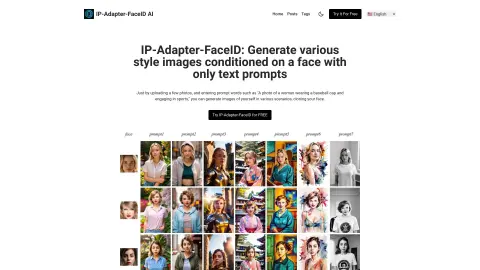
Introduction
Generate images with consistent face using text prompts and uploaded photos.
What is IP Adapter Face ID?
IP-Adapter FaceID is a model that extends the functionality of IP-Adapter, allowing users to generate images in various styles based on a face using only text prompts. By uploading a few photos, users can clone their face into different scenes. It focuses on maintaining the consistency and authenticity of the face in generated images.
How do I use IP Adapter Face ID?
To use IP Adapter face recognition, upload a profile picture, enter a prompt (e.g., “a photo of a woman wearing a baseball cap”), select a generation type, and submit. The system will generate an image based on the provided face and prompt.
Core Features of IP Adapter Face ID
Maintain facial consistency when generating images.
Generate images in various styles based on text prompts.
Clone faces into different scenes.
Related
AudiblDoc – Text to Speech
AudiblDoc converts PDF files, images, and text into audio, and vice versa – it supports multiple languages in this process.
BuildPrompt
AI-based document analysis and data insight tools.
GoPDF
An all-round PDF editor and AI-powered management tool.
Lóre AI
AI-powered conversion of PDF files into editable Word documents, along with translation services.
Quotemark
An iOS app that uses AI technology to capture, organize, and personalize famous quotes from books.
BringTable
Scan bills with GPT-4, extract the data, and convert it into a table.