AI TOOL / #07466
Reverse image search by Copyseeker
Copyseeker image search offers advanced image-search capabilities with just a simple right-click operation.
Introduction
Copyseeker Image Search provides advanced image search capabilities through a simple right-click.
What is the Copyseeker Image Search AI Chrome extension/plug-in?
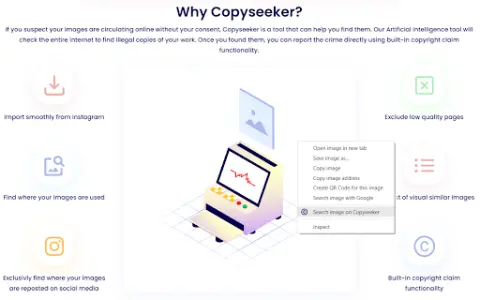
Copyseeker Image Search is a tool designed to enhance the browsing experience by offering advanced image-search capabilities. Users can right-click on any image and select “Search for this image in Copyseeker” to have the image analyzed and obtain detailed information about it.
How to use the Copyseeker Image Search AI Chrome extension/plug-in?
When browsing web pages, right-click on any image and select the option “Search for this image on Copyseeker”. Afterwards, Copyseeker will analyze the image and provide detailed information regarding it.
The core functionality of the Copyseeker Image Search AI Chrome extension/plug-in
Search for images with just one right-click.
Advanced Image Analysis
Fast and efficient results
Privacy-conscious image search
Related
Janus Pro AI
An AI image generator that creates images from text descriptions.
Bank Statement Extractor
A tool that instantly and securely converts PDF bank statements into Excel.
AudiblDoc – Text to Speech
AudiblDoc converts PDF files, images, and text into audio, and vice versa – it supports multiple languages in this process.
BuildPrompt
AI-based document analysis and data insight tools.
GoPDF
An all-round PDF editor and AI-powered management tool.
Lóre AI
AI-powered conversion of PDF files into editable Word documents, along with translation services.